Tuesday, October 31, 2006

Google: Search All Uploaded Blog Photos on Blogger.com

Blogger keeps all the blog photos. You can easily search for them using Google's image search. Does Google keep blogger.com photos forever?

Tons of people use blogger.com to create their blogs. People upload photos to blogger.com to post as photos on their blog. Well, these blogs can be viewed by anybody in the public with a couple of crafty Google searches.

Google Image Search 1: site:photos1.blogger.com
Google Image Search 2: site:photos2.blogger.com

Makes for some interesting searches! "Owned" pictures on blogger.com anybody?

Google Image Search: site:photos1.blogger.com owned

And yes.... there are much more interesting terms for which to search than that. Although fun, this is mainly a warning that whatever you upload to blogger likely stays in the bowels of Google image search forever.

Source: tech-recipes


Saturday, October 28, 2006

YouTube Takes Down Comedy Central Clips Based on DMCA Claims

 
"I received a couple of emails from YouTube this afternoon (see below) notifying me that a third party (probably attorneys for Comedy Central) had made a DMCA request to take down Colbert Report and Daily Show clips. If you visit YouTube, all Daily Show, Colbert Report and South Park clips are now gone."

read more | digg story
 
 
Technorati tags:

Friday, October 27, 2006

WINDOWS TIP # 12: Adobe Reader 7: Listening to Your PDF's

Adobe Reader allows you to listen to your PDF instead of reading it. Sometimes this does indeed prove to be useful.

Here the keyboard shortcuts:

Ctrl+Shift+b: Listen to the entire document

Ctrl+Shift+v: Listen to a certain page

Ctrl+Shift+e: Stop listening

Ctrl+Shift+c: Pause.

Wednesday, October 25, 2006

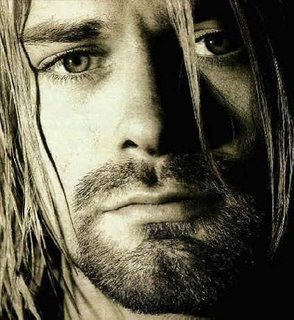
It's Cobain over Elvis as top-earning dead celeb

Rock 'n' roll legend Elvis Presley ceded his crown to Nirvana lead
singer Kurt Cobain on  Forbes.com's list as the top-earning dead celebrity.
 
 
Technorati tags:

Bill Gates' First Reaction to the iPod in 2001; Great iPod Article

"Have you seen this yet?" I asked. Gates went into a zone that recalls those science fiction films where a space alien, confronted with a novel object, creates some sort of force tunnel between him and the object...Gates' fingers, racing at Nascar speed, played over the scroll wheel and pushed every button combination; "It's only for Macintosh?"

read more | digg story
 
Technorati tags:

Dove Evolution: The Reality

A harsh reality in showbiz where women only end up as plastic dolls.


How Much Should You Weigh?

BMI calculators are in abundance but this one, from the now revamped healthatoz.com, seems to be more on the money. It not only asks you your height, but also your frame size and gives you a simple way to determine your frame size. You'll probably be surprised at how much you should REALLY weigh...

read more | digg story
 
Technorati tags:

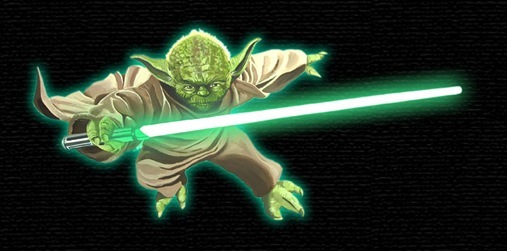
Star Wars: YODA Quotes

yoda-blackback-700

"Already know you that which you need..." 

"Many of the truths that we cling to depend on our point of view."
OB1-Wan Kenobi cwYoda_B_4C
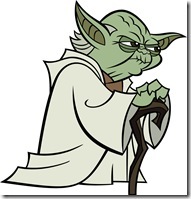
"Try not. Do or do not, there is no try...."

"Don't you call me a mindless philosopher you overweight glob of grease!"
C3PO--Star Wars: A New Hope

"Size matters not! Judge me by my size, do you?"
- The Empire Strikes Back

"Ohhh! Great warrior! [laughs and shakes his head]
Wars not make one great!"
- The Empire Strikes Back

"You must unlearn what you have learned."

"Once you start down the dark path, forever will it dominate your destiny, consume you it will..."

"You will know (the good from the bad) when you are calm, at peace. Passive." A Jedi uses the Force for knowledge and defense, never for attack. "

"A Jedi's strength flows from the Force."

"Beware of the dark side. Anger...fear...aggression. The dark side of the Force are they. Easily they flow, quick to join you in a fight."

"A Jedi must have the deepest commitment, the most serious mind." 

"Adventure. Heh! Excitement. Heh! A Jedi craves not these things."

"Always in motion is the future."

"And well you should not. For my ally in the Force. And a powerful ally it is. Life creates it, makes it grow. It's energy surrounds us and binds us. Luminous beings are we...(Yoda pinches Luke's shoulder)...not this crude matter. (a sweeping gesture) You must feel the Force around you. (gesturing) Here, between you...me...the tree...the rock...everywhere! Yes, even between this land and that ship!"

"Concentrate...feel the Force flow. Yes. Good. Calm, yes. Through the Force, things you will see. Other places. The future...the past. Old friends long gone."
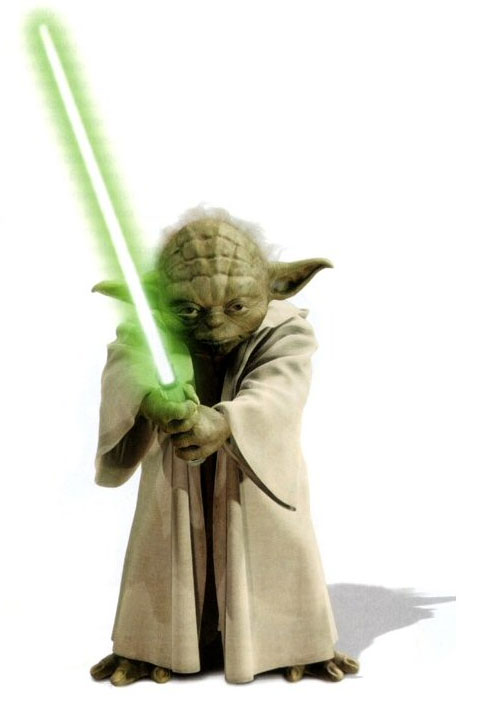
"Powerful you have become, the dark side I sense in you."

"Grave danger you are in. Impatient you are."

"Try not. Do or do not, there is no try."

"Once you start down the dark path, forever will it dominate your destiny, consume you it will."

"Always in motion is the future."

"Around the survivors a perimeter create."

"Size matters not."

"May the force be with you."

"Blind we are, if creation of this clone army we could not see."

"A Jedi's strength flows from the Force."

"Help you I can, yes."

"Strong am I with the force." yoda_biography_3
"Agree with you the council does. Your apprentice Skywalker will be."

"Always two there are, no more, no less: a master and an apprentice."

"Lost a planet Master Obi-Wan has. How embarrassing."

"When 900 years you reach, look as good, you will not."

"There... is... another... Sky... walker."


"Fear is the path to the dark side. Fear leads to anger. Anger leads to hate. Hate leads to suffering. "

" Size matters not. Look at me. Judge me by my size, do you? Hmm? Hmm. And well you should not. For my ally is the Force, and a powerful ally it is. Life creates it, makes it grow. Its energy surrounds us and binds us. Luminous beings are we, not this crude matter. You must feel the Force around you; here, between you, me, the tree, the rock, everywhere, yes. Even between the land and the ship. "

" Ready are you? What know you of ready? For eight hundred years have I trained Jedi. My own counsel will I keep on who is to be trained. A Jedi must have the deepest commitment, the most serious mind. This one a long time have I watched. All his life has he looked away... to the future, to the horizon. Never his mind on where he was. Hmm? What he was doing. Hmph. Adventure. Heh. Excitement. Heh. A Jedi craves not these things. You are reckless. "


Also read: The Simpsons Quotes


Technorati tags:

Tuesday, October 24, 2006

Tiny Office Pro 2003, 71.3 MB and WORKS!

Office 2003 Pro Silent install only 71.2mb

This is Office 2003 Pro silent install at only 71.2mb, includes

Microsoft Office Excel
Microsoft Office Word
Microsoft Office Outlook
Microsoft Office PowerPoint

and most office tools

Just run the Office2003 installer and let it do it's thing, NO SERIAL OR ACTIVATION NEEDED.

English Works good With TinyXP

MORE INFO


Technorati tags:

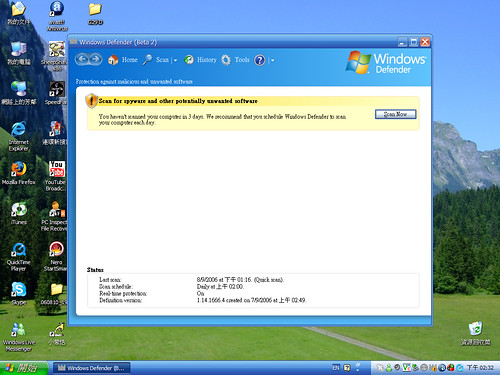
Windows® Defender Final Released

Windows Defender

Windows Defender is a free program that helps protect your computer against pop-ups, slow performance, and security threats caused by spyware and other unwanted software. It features Real-Time Protection, a monitoring system that recommends actions against spyware when it's detected and minimizes interruptions and helps you stay productive. Now with 2 free support incidents for Windows XP and Windows Server 2003.

Improvements in Windows Defender
• Enhanced performance through a new scanning engine.
• Streamlined, simplified user interface and alerts.
• Improved control over programs on your computer using enhanced Software Explorer.
• Multiple language support with globalization and localization features.
• Protection technologies for all users, whether or not they have administrator rights on the computer.
• Support for assistive technology for individuals who have physical or cognitive difficulties, impairments, and disabilities.
• Support for Microsoft Windows XP Professional x64 Edition.
• Automatic cleaning according to your settings during regularly scheduled scans.

Version: 1592
Date Published: 10/23/2006
Language: English


Download: Windows® Defender

View: Release notes

More Info: Windows® Defender

Technorati tags:

Friday, October 20, 2006

WINDOWS TIP # 11: IE7 Move the menu bar above the address bar

To move the menu bar on top do the following... 1. Click Start, Run, and then enter regedit into the runbox 2. Press ENTER or click OK 3. Browse to the following key: HKEY_CURRENT_USER/Software/MicrosoftInternet Explorer/Toolbar/WebBrowser 4. Click the Edit menu in regedit 5. Select New and then DWORD value 6. The name should be highlighted in the right column. Just type over this to name it: ITBar7Position 7. Double click your new entry in the right column. 8. Change the value to 1. 9. Close regedit and open IE7 to see the change.


Also read: WINDOWS TIP # 10: Disable Zip Function in XP


Technorati tags:

Thursday, October 19, 2006

One of the closest Finishes in Formula 1 History.


4 Formula One cars passing finish-line within 0,19 sec!
 
Technorati tags:

Wednesday, October 18, 2006

Saturday, October 14, 2006

Square Eggs, WTF???


WARNING: This does not actually make chickens lay square eggs.

Source: Flickr

Technorati Tags: , ,

Friday, October 13, 2006

WINDOWS TIP # 10: Disable Zip Function in XP


XP will treat Zip files like folders, which is nice if you've got a fast machine. On slower machines, you can make XP leave zip files alone by typing 'regsvr32 /u zipfldr.dll' at the command line. If you change your mind later, you can change things back by typing 'regsvr32 zipfldr.dll'.


Also read: WINDOWS TIP # 11: IE7 Move the menu bar above the address bar

Technorati Tags: , ,

Tuesday, October 10, 2006

Google To Acquire YouTube for $1.65 Billion in Stock

Google Inc. announced today that it has agreed to acquire YouTube, the consumer media company for people to watch and share original videos through a Web experience, for $1.65 billion in a stock-for-stock transaction. Following the acquisition, YouTube will operate independently to preserve its successful brand and passionate community.

More details

Friday, October 06, 2006

WINDOWS TIP # 9: Resolve Incorrectly Displayed Icons

Windows stores commonly used icons in a cache to speed up display. If your icons are displaying incorrectly:


Are you icons messed up? Here is the fix!


1. Go to your \Documents and Settings\username\Local Settings\Application Data directory
2. Delete IconCache.db.
3. Reboot and the file will be recreated, and should resolve any icon that was incorrectly displayed.

Thursday, October 05, 2006

Introducing SlideShare: Power Point + YouTube

SlideShare is a new service launching this morning that lets users upload PowerPoint or Open Office presentationi files and share them online through a You Tube-like interface.

read more | digg story

Technorati Tags: , ,